
WBC Network Health Monitor
WBC Network Health Monitor (NHM) represents the evolution of WBC Utilities for IntraVUE. Instead of being a utility for Intravue, NHM is a full-fledged application which leverages the data collected by IntraVUE to make using and supporting an IntraVUE installation easier and to pro-Actively create Alarms and Warnings based on the collected data. NHM is provided as part of a WBC-INS support contract at no additional charge.
|
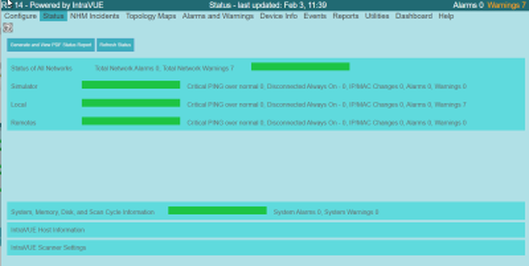
A Status Page shows the current health of each Intravue network, the status of memory, host disk space, IntraVUE scanner speed, IntraVUE snmp collection speed, Alarms, and more. The overall data collected by IntraVUE is used to provide a simple overall indicator of Network health for each IntraVUE network.
The PDF report can be generated immediately and is displayed in a new browser window as well as saved to disk. The report shows the detailed status of each network and a summary of high level situations to be aware of along with corrective actions. |
|
NHM is focused on the critical devices and provides utilities to make setting the critical state of devices easy and semi-automatic. NHM creates statistics modeling the 'normal' behavior of each device for each hour of the week. At any time it is expected some devices will exceed their normal behavior, creating a NHM Incident, but not 'many' devices. When many devices are exceeding this 'normal' behavior an Alarm is generated to the user to let them know an unusual situation is happening in the network.
|
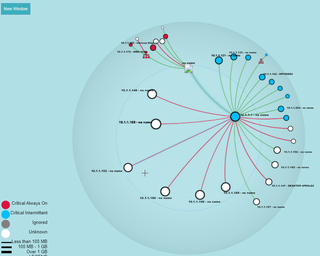
An alternate Hypertree Map of the Network, similar to the original IntraVUE 2 map is provided which contains additional useful information.
|
|
|
Over 20 Pro-Active Alarms and Warnings are created through analysis of the IntraVUE database or collected from the host computer. Alarms and Warnings are monitored and automatically cleared as appropriate. All alarms and warnings are logged to the NHM database. Alarms are emailed as they occur.
Some of the Alarms are listed to the right. For complete list click here |
|
NHM discovers Cloaked Devices that do not respond to the Intravue Scanner's ping requests. Events are created when these Cloaked Devices are discovered and when the age in and out of the relevant ARP caches.
|
Maps:
Each Map has many controls to filter and present data with many options. |
Reports:
|
Utilities:
|